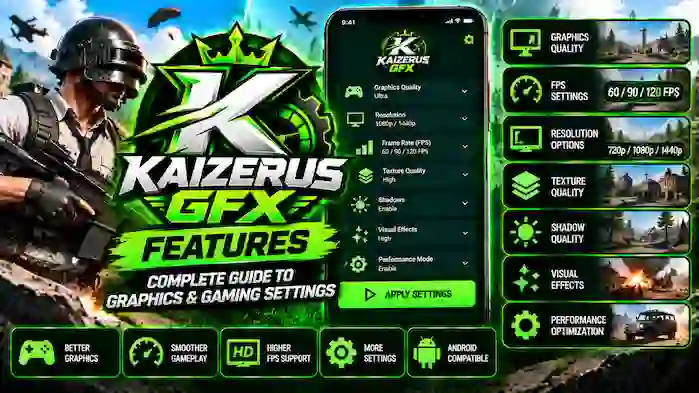
If you are researching Kaizerus GFX features, you are probably interested in understanding what the application offers and how its graphics-related settings may help with Android gaming. what is Kaizerus GFX is associated with graphics configuration, FPS settings, resolution options, and performance-related controls.
The exact features available can vary depending on the application version, Android device, and supported gaming environment. This guide explains the main feature areas users should understand before downloading or configuring Kaizerus GFX.
What Are the Main Kaizerus GFX Features?
The main Kaizerus GFX features are associated with graphics configuration and gaming performance. Depending on the version, users may encounter options related to:
- Graphics quality
- Frame rate
- Resolution
- Texture quality
- Shadow quality
- Visual effects
- Performance configuration
- Device compatibility
Not every version necessarily includes every setting, so it is important to check the specific release you are using.
Graphics Optimization
One of the primary areas associated with Kaizerus GFX is graphics optimization.
Graphics settings can affect how a game looks and how much processing power it requires. Adjusting these options can help users find a balance between visual quality and stable gameplay.
For example, lowering demanding visual settings can reduce the workload placed on the GPU, while higher-quality settings may provide more detailed visuals when the device can handle them.
FPS Configuration
FPS, or frames per second, is another important graphics setting.
A higher frame rate can make movement appear smoother, but selecting the highest available option does not guarantee better performance. The device must have sufficient processing and graphics capability to maintain the selected frame rate.
Kaizerus GFX-related settings may therefore be useful for users who want to understand or configure available frame-rate options.
Resolution Settings
Resolution determines how much visual detail is rendered by a game.
Higher resolution can produce a sharper image, but it can also increase the workload on the graphics processor. Lower resolution may reduce graphics demand and can sometimes be useful on devices with limited hardware.
The appropriate setting depends on the device, display, game, and desired balance between image quality and performance.
Graphics Quality Controls
Graphics quality can include several individual settings that determine how detailed the game appears.
These may include:
- Overall graphics quality
- Texture quality
- Shadow quality
- Visual effects
- Rendering quality
The exact controls available through Kaizerus GFX depend on the specific version and supported environment.
Texture Quality
Textures determine the visual detail applied to objects and surfaces within a game.
Higher texture quality can make environments and objects appear more detailed. However, higher-quality textures can also require additional memory and graphics resources.
Users with limited hardware may prefer more conservative settings to maintain stability.
Shadow Quality
Shadows contribute to depth and realism in games.
Although improved shadows can make a game look better, they can also increase graphics workload. Reducing shadow quality may be useful when prioritizing performance over visual detail.
Visual Effects
Visual effects can include elements such as lighting, particles, reflections, and other graphical details.
These effects can make gameplay more visually appealing, but demanding effects may require additional GPU resources.
A balanced configuration can help users avoid unnecessary performance demands.
Performance Optimization
Another important area of Kaizerus GFX features is performance-oriented configuration.
Performance is affected by several components, including:
- CPU
- GPU
- RAM
- Storage
- Android version
- Game optimization
- Device temperature
- Graphics settings
A graphics tool cannot add physical hardware resources to a device. Instead, its usefulness depends on how effectively supported settings can be configured for the existing hardware.
Device Compatibility
Kaizerus GFX features may behave differently across Android devices.
Entry-Level Devices
Phones with limited processing and graphics resources may benefit from conservative settings.
Mid-Range Devices
Mid-range phones can often provide a balance between graphics quality and performance, although the ideal configuration varies by model.
Gaming Devices
Gaming-focused phones may have more capable processors, GPUs, cooling systems, and displays. Even so, compatibility should be checked before using any external graphics configuration tool.
Older Devices
Older Android phones may have limitations involving Android versions, RAM, GPU capabilities, and available storage.
Graphics Presets
If a supported version provides graphics presets, they can simplify configuration by grouping multiple settings together.
A lower-demand preset may prioritize smoother performance, while a higher-quality preset may prioritize visual detail.
Users should test configurations instead of assuming that one preset is ideal for every device.
Resolution and FPS Balance
Resolution and FPS should be considered together.
A very high resolution combined with a demanding frame-rate target can place considerable workload on the device. On the other hand, lowering every setting may reduce visual quality unnecessarily.
A practical approach is to find a configuration that provides:
- Stable frame delivery
- Responsive controls
- Acceptable visual quality
- Reasonable device temperature
- Consistent gameplay
Kaizerus GFX Features and Gaming Performance
The presence of graphics settings does not mean that every device will receive the same performance improvement.
Actual results depend on the complete gaming environment.
Important factors include:
CPU
The CPU handles many game and system tasks.
GPU
The GPU performs much of the graphics rendering.
RAM
Available memory can affect how comfortably games and background processes operate.
Display
A high-refresh-rate display can show higher frame rates when the game and hardware can actually produce them.
Temperature
Extended gaming can increase device temperature, and thermal management may reduce performance when a device becomes too warm.
Kaizerus GFX Features vs Built-In Game Settings
Many modern Android games already provide their own graphics settings.
These built-in settings should be considered before using an external configuration tool.
A game may already allow users to control:
- Graphics quality
- Frame rate
- Resolution
- Shadows
- Effects
- Texture quality
If the game’s own settings provide the configuration you need, there may be no reason to change additional settings externally.
Kaizerus GFX APK Features
Users searching for Kaizerus GFX APK should remember that features can differ between releases.
Before installing an APK, check:
- Version number
- Android requirements
- Application information
- Available features
- Source
- Requested permissions
- File security
Avoid assuming that an APK advertised as “latest” contains a particular feature unless that feature can be verified for the exact version.
How to Use Kaizerus GFX Features Responsibly
A simple approach is to change settings gradually.
Start With Default Settings
Record your existing configuration before making changes.
Change One Setting at a Time
This makes it easier to identify which option affects performance.
Test After Each Change
Play for a short period and observe stability, responsiveness, and visual quality.
Avoid Excessive Settings
Do not automatically select the highest possible graphics or FPS settings.
Return to Defaults When Necessary
If a configuration causes crashes or instability, return to a known stable configuration.
Are Kaizerus GFX Features Safe?
The features themselves are not the only safety consideration. The APK source is also important.
If you download a Kaizerus GFX APK from an unfamiliar source:
- Verify the application name.
- Check the version number.
- Review the file information.
- Examine requested permissions.
- Scan the file with a reputable security tool.
- Avoid suspicious modified versions.
- Keep Android security protections enabled.
A familiar application name does not automatically make every APK using that name trustworthy.
Common Questions About Kaizerus GFX Features
What are the main Kaizerus GFX features?
Kaizerus GFX is associated with graphics-related configuration such as graphics quality, FPS, resolution, and performance settings. The exact features depend on the version.
Can Kaizerus GFX increase FPS?
It may provide frame-rate configuration options where supported, but it cannot guarantee a specific FPS increase. Actual performance depends on the device, game, hardware, and configuration.
Does Kaizerus GFX improve graphics quality?
It may provide graphics configuration options that allow users to adjust supported visual settings. Whether the result looks better depends on the selected configuration and device capabilities.
Can I use every feature on any Android phone?
No. Available features and their behavior can depend on Android version, device hardware, application version, and game compatibility.
Should I use maximum graphics settings?
Not necessarily. Maximum settings can place additional load on the device. A balanced configuration may provide a better combination of visual quality and stability.
Are Kaizerus GFX features available in every version?
Not necessarily. Features can change between releases, so check the exact version before assuming that a particular setting is available.
Is Kaizerus GFX safe to install?
Safety depends on the exact APK and its source. Verify unfamiliar files, review permissions, and scan them before installation.
Conclusion
The main Kaizerus GFX features are centered around graphics configuration and Android gaming settings. Depending on the version, users may find options related to graphics quality, FPS, resolution, textures, shadows, visual effects, and performance.
However, the best configuration depends on the individual device and game. Higher settings do not automatically mean better performance, and a graphics tool cannot overcome the physical limitations of a phone’s CPU, GPU, RAM, or cooling system.
Before downloading Kaizerus GFX, verify the exact APK version, compatibility, source, permissions, and security information. This helps you understand which features are actually available and avoid installing an unverified file.
1 thought on “Kaizerus GFX Features – Complete Guide to Graphics & Gaming Settings”