Kaizerus GFX
Kaizerus GFX guide covering features, APK, graphics settings, FPS, compatibility, installation, safety, updates, and gaming tips.
Security Verified
Kaizerus GFX
Kaizerus GFX is an Android gaming utility associated with graphics customization, performance settings, and device-focused configuration. It is designed for users who want more control over visual settings and gameplay performance rather than relying only on a game’s default configuration.
The results of any graphics or performance adjustment can vary depending on the Android device, processor, GPU, RAM, display, game version, and selected settings. For that reason, the best configuration is usually the one that provides a good balance between visual quality and stable gameplay.
What Is Kaizerus GFX?
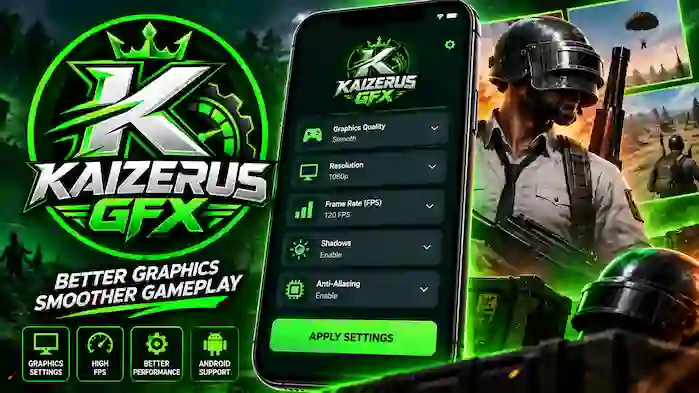
Kaizerus GFX is an Android-focused tool discussed in connection with graphics configuration and gaming performance. Depending on the available version and supported environment, users may look at settings related to resolution, frame rate, graphics quality, and other visual options.
The main idea is simple: different Android devices have different hardware capabilities, so a configuration that works well on one phone may not be suitable for another.
Instead of assuming that higher graphics settings are always better, users can consider their device capabilities and choose settings that provide an appropriate balance between quality and performance.
Why Do Gamers Use Kaizerus GFX?
Android games can offer different graphics presets and performance options. However, users sometimes want additional control over how a game looks or behaves on their device.
Graphics Customization
Graphics-related settings can affect image quality, textures, shadows, and visual effects. Adjusting these options can help users find a configuration that matches their device.
FPS and Frame-Rate Management
Frame rate affects how smoothly movement and animation appear. A higher frame rate is not automatically better if the device cannot maintain it consistently.
Kaizerus GFX can be useful to users who want to understand or adjust available frame-rate options, where supported.
Resolution Configuration
Resolution affects the amount of visual detail rendered on the screen. Higher resolution can improve image clarity but may also require more processing resources.
Gaming Performance
Performance depends on several factors, including CPU and GPU capability, available RAM, storage, device temperature, Android version, and game optimization.
Device-Specific Settings
There is no single configuration that is ideal for every Android phone. Entry-level, mid-range, and gaming-focused devices can have very different performance limits.
Kaizerus GFX 2026 – New Version and Updates
Users searching for Kaizerus GFX 2026, the Kaizerus GFX new app, or a Kaizerus GFX new version should verify the version information before installing an APK.
A new version can potentially change compatibility, features, performance, or bug behavior. Instead of assuming that every newer release is automatically better for every device, check the version number, Android requirements, source, and available release information first.
What to Check Before Updating
- Confirm the version number.
- Check Android compatibility.
- Review the listed changes.
- Verify that the download source is trustworthy.
- Keep a record of the version currently installed.
- Check whether the new release supports your game and device.
Specific features should only be attributed to a new release when they can be verified from reliable release information.
Key Features of Kaizerus GFX
Kaizerus GFX is associated with several areas of graphics and gaming configuration.
Graphics Optimization
Graphics settings can include options related to texture quality, shadows, image quality, and visual effects.
The objective should not simply be maximum quality. A balanced configuration can sometimes provide more consistent gameplay on hardware with limited resources.
FPS Configuration
Frame-rate settings determine how frequently frames are rendered. Stable frame delivery can be more useful than selecting the highest available number that the device cannot maintain.
Resolution Settings
Resolution changes the amount of detail rendered by the game. Higher settings may look sharper, while lower settings can reduce the workload placed on the GPU.
Performance Optimization
Gaming performance depends on the interaction between:
- CPU
- GPU
- RAM
- Storage
- Android software
- Game optimization
- Device temperature
Graphics configuration should therefore be considered alongside the capabilities of the phone.
Device Optimization
Different devices have different performance limits. A configuration suitable for a gaming phone may not be appropriate for an entry-level Android device.
Graphics Presets
A useful way to approach configuration is to think in terms of three general priorities:
- Performance-focused
- Balanced
- Quality-focused
The appropriate choice depends on the device and the user’s priorities.
How Does Kaizerus GFX Work?
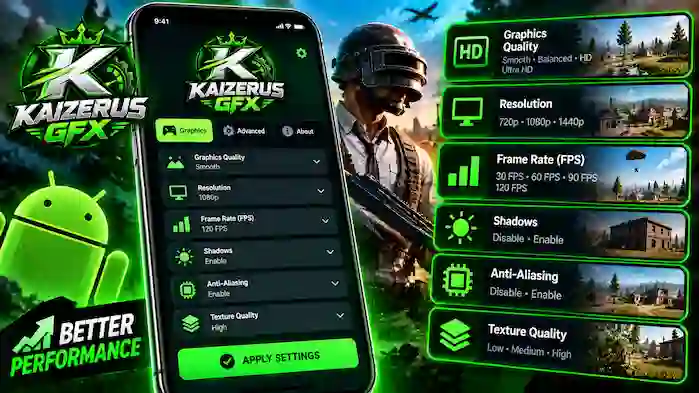
The general concept behind a graphics configuration tool is to provide settings that influence how supported graphics options are selected or managed.
Graphics Configuration
Users can review available graphics options and select settings appropriate for their hardware.
FPS Management
Frame-rate choices should take the device’s actual capabilities into account. If a phone struggles to maintain a selected frame rate, lowering other demanding settings may provide more consistent results.
Resolution Optimization
Resolution can be adjusted according to the desired balance between clarity and processing requirements.
Resource Management
CPU, GPU, RAM, storage, and background applications can all affect gaming performance. Graphics configuration is only one part of the overall performance picture.
Performance Stability
Stable gameplay is generally more useful than settings that look impressive on paper but cause overheating, stuttering, or inconsistent frame delivery.
Kaizerus GFX Graphics Settings Explained
Understanding individual graphics settings makes it easier to choose an appropriate configuration.
Resolution
Resolution controls the rendered image dimensions. Higher resolution can provide greater visual detail but may require additional GPU resources.
Frame Rate
Frame rate describes how many frames are displayed over time. A stable frame rate can make camera movement and animation feel smoother.
Texture Quality
Textures determine the detail applied to surfaces and objects. Higher texture quality can require additional memory and graphics resources.
Shadow Quality
Shadows can improve visual depth but may also increase rendering workload.
Visual Effects
Effects such as particles, lighting, and other visual elements can influence both appearance and performance.
Graphics Presets
Presets provide a convenient way to select groups of settings. Users should still consider whether the selected preset matches their hardware.
Rendering Options
Rendering-related settings can influence image quality and performance. Their availability and effect can differ between games and devices.
Kaizerus GFX and FPS Optimization
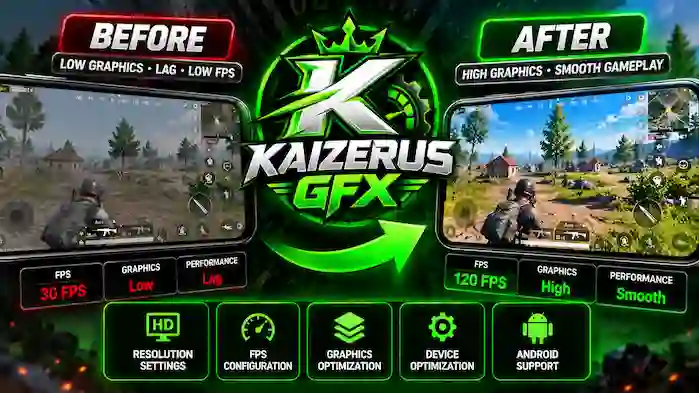
FPS is one of the most commonly discussed aspects of gaming performance, but an important distinction is necessary: Kaizerus GFX cannot guarantee the same FPS result on every device or game.
What FPS Means
FPS, or frames per second, represents how many frames a system renders within one second. Higher FPS can make motion appear smoother when the device can maintain it consistently.
Higher FPS vs Stable FPS
A stable frame rate is often preferable to an unstable higher target. If a device repeatedly drops frames, reducing demanding graphics settings may provide a more consistent experience.
Why FPS Results Vary
FPS can be affected by:
- Processor performance
- GPU capability
- RAM
- Game optimization
- Graphics settings
- Android version
- Device temperature
- Background processes
Display Refresh Rate
A high-refresh-rate display can display more frames when the device and game provide them, but the display’s refresh rate does not by itself guarantee higher game performance.
Kaizerus GFX for Different Android Devices
Entry-Level Devices
Lower-end devices may benefit from prioritizing stable performance over maximum graphics quality.
Mid-Range Smartphones
Mid-range devices can often provide more flexibility, allowing users to find a balance between visual quality and performance.
Gaming Phones
Devices designed for gaming may provide stronger processors, GPUs, cooling systems, and higher-refresh-rate displays. These features can provide more room for demanding configurations.
Older Android Devices
Older phones may have limitations involving processing power, memory, Android compatibility, or graphics support. Conservative settings can be more appropriate.
Modern Android Devices
Newer devices can offer improved hardware and software support, but compatibility should still be checked before using a particular version or configuration.
Device Hardware and Kaizerus GFX
Hardware plays an important role in determining how far graphics settings can be pushed.
CPU
The CPU handles many general computing and game-processing tasks. CPU limitations can affect overall game performance.
GPU
The GPU is particularly important for rendering graphics, visual effects, textures, and other graphical workloads.
RAM
Available RAM affects how efficiently the device can handle applications and game resources. Closing unnecessary background applications can help reduce competing resource usage.
Display Refresh Rate
A higher refresh rate can make supported motion appear smoother, provided the game and hardware can produce the required frame rate.
Internal Storage
Available storage matters for installing applications and maintaining sufficient free space. Keeping some storage available can also help the device operate normally.
Android Version
The Android version can affect app compatibility and available system features. Always check requirements before installing a new version.
Best Kaizerus GFX Configuration Strategy
There is no universal “best” configuration. The right choice depends on your device and what you want from the game.
Performance-Focused Configuration
Prioritize:
- Stable frame rate
- Moderate or lower resolution
- Reduced demanding visual effects
- Consistent gameplay
This approach can be useful on devices with limited hardware.
Balanced Configuration
A balanced setup combines reasonable graphics quality with stable performance.
Quality-Focused Configuration
Users with capable hardware may prioritize visual detail, higher textures, shadows, and other graphics options where supported.
Configuration for Competitive Players
Competitive players may prefer settings that prioritize responsive and consistent gameplay rather than maximum visual detail.
Configuration for Casual Players
Casual players may prefer a balance that provides attractive visuals without unnecessarily increasing hardware load.
Configuration for Older Devices
Older devices generally require more conservative settings. Reducing demanding graphics options can help avoid unnecessary performance pressure.
Kaizerus GFX Gaming Performance Tips
Graphics configuration is only one part of Android gaming performance.
Keep Android Updated
Use a compatible and properly supported Android environment.
Use a Compatible Kaizerus GFX Version
Before installing a new version, verify its Android and device requirements.
Close Unnecessary Background Apps
Background applications can compete for memory and processing resources.
Maintain Available Storage
Avoid allowing the device’s storage to become completely full.
Avoid Excessive Graphics Settings
Maximum settings are not always the best choice. Use settings your hardware can handle consistently.
Monitor Device Heat
High temperatures can affect sustained performance. Allow the device to cool when necessary.
Restart the Device When Necessary
A restart can sometimes help resolve temporary software or resource issues.
Kaizerus GFX Compatibility
Compatibility depends on more than simply having an Android phone.
Android Version Requirements
Check the Android requirement associated with the specific Kaizerus GFX version you are considering.
Hardware Requirements
Processor, GPU, RAM, and available storage can influence whether a configuration is practical.
Game-Version Compatibility
Game updates can change graphics options, compatibility, and performance behavior.
Why Compatibility Can Change
An app or configuration that works on one software version may behave differently after an Android or game update.
How to Check Your Device
Before installing or configuring Kaizerus GFX, check:
- Android version
- Available storage
- Device hardware
- Game version
- Kaizerus GFX version
- Required permissions
Kaizerus GFX Download and Installation
If you are looking for Kaizerus GFX download or Kaizerus GFX APK download, verify the file and its source before installation.
Check the APK version, Android requirements, developer information where available, file details, and requested permissions.
For a detailed process, see our dedicated Kaizerus GFX Download and Kaizerus GFX APK guides.
Basic Installation Process
- Verify that the APK matches your Android version.
- Check the source and file information.
- Scan the file using a trusted security tool.
- Review the requested permissions.
- Install only when you are satisfied with the file’s authenticity and compatibility.
- Open the app and check whether it works correctly on your device.
Is Kaizerus GFX Safe?
Safety depends heavily on where the APK comes from and what version you install.
Verify the Download Source
Prefer a source that provides clear information about the application and file.
Check APK Information
Compare the version, package information, file size, and other available details with reliable information.
Review Permissions
Pay attention to permissions that appear unrelated to the application’s expected functionality.
Scan APK Files
A reputable security scanner can provide an additional check before installation.
Protect Personal Information
Do not provide unnecessary personal information or sensitive credentials to an unfamiliar application.
Keep Android Security Features Enabled
Avoid disabling built-in security protections simply to install an APK.
Be Careful With Modified Files
Modified APKs can introduce additional risks because their contents may differ from an original release.
Kaizerus GFX APK, Injector, and Tool
Several different search terms are associated with Kaizerus GFX, including Kaizerus GFX APK, Kaizerus GFX Injector, and Kaizerus GFX Tool.
These terms should not automatically be treated as separate official products. Users should verify the exact application, developer, package information, and source before installing anything described as an injector or tool.
Kaizerus GFX APK
The APK refers to the Android application package. Users searching for the latest version should verify the version and compatibility before installation.
Kaizerus GFX Injector
“Kaizerus GFX Injector” is a search term used by some users. Before installing an APK described this way, verify whether it is actually associated with the Kaizerus GFX application and check its permissions and source carefully.
Kaizerus GFX Tool
Similarly, “Kaizerus GFX Tool” can refer to a tool-oriented description of the application. Confirm the exact app identity rather than assuming every APK using this name is the same application.
For detailed information, see our dedicated Kaizerus GFX Injector and Kaizerus GFX Tool guides.
Common Kaizerus GFX Problems
Installation Problems
An incompatible Android version, damaged APK, insufficient storage, or incorrect installation process can prevent an app from installing.
App Not Opening
Check compatibility, restart the device, verify the installed version, and ensure the application was obtained from a reliable source.
Compatibility Problems
A configuration may not work properly if the device, Android version, game version, or application version is incompatible.
Graphics Settings Not Applying
Some settings may depend on the game version, device capabilities, or whether the particular option is supported.
Performance Not Improving
Changing graphics settings cannot overcome every hardware limitation. If performance remains poor, consider lowering demanding settings and checking background processes, storage, and device temperature.
Problems After an Update
If an issue begins after an Android, game, or Kaizerus GFX update, check whether the new versions remain compatible.
Version-Related Problems
Installing an unsuitable or modified version can cause crashes, installation errors, or unexpected behavior.
Why Keep Kaizerus GFX Updated?
Using an appropriate version can be important for compatibility and stability.
Compatibility Improvements
New releases may change compatibility with newer Android environments or devices.
Bug Fixes
Updates may address problems found in previous releases.
New or Changed Features
Features can change between versions, so review reliable release information before updating.
Updated Game Support
Game updates can affect how graphics configurations behave.
Stability Considerations
Keeping applications compatible with the current software environment can help reduce version-related problems.
Who Should Consider Kaizerus GFX?
Competitive Players
Users focused on responsive and consistent gameplay may be interested in greater control over graphics-related settings.
Casual Players
Casual players can use configuration options to find a comfortable balance between visuals and performance.
Android Gaming Enthusiasts
Users who enjoy experimenting with graphics settings may find configuration tools useful for understanding available options.
Mid-Range Device Owners
Mid-range phones can sometimes benefit from carefully balancing graphics quality and performance.
Older Device Owners
Older devices may need more conservative settings to maintain stable gameplay.
Users Who Want More Graphics Control
Kaizerus GFX may appeal to users who want to understand and adjust graphics-related options rather than relying entirely on default settings.
Kaizerus GFX Guides
Explore our detailed guides for specific topics:
- Kaizerus GFX APK – APK information, versions, requirements, and compatibility.
- Kaizerus GFX Download – Download and file-verification guidance.
- Kaizerus GFX Injector – Information about the injector search term and related safety considerations.
- Kaizerus GFX Tool – Guide to the tool-related terminology and functionality.
- Kaizerus GFX Installation – Step-by-step installation information.
- Kaizerus GFX Compatibility – Device and Android compatibility guidance.
- Kaizerus GFX Safety – APK verification, permissions, and security checks.
- Kaizerus GFX Troubleshooting – Solutions for common installation and compatibility problems.
Frequently Asked Questions
What is Kaizerus GFX?
Kaizerus GFX is an Android-focused gaming utility associated with graphics configuration, performance settings, and device-oriented customization.
Is Kaizerus GFX available for Android?
Kaizerus GFX is presented as an Android-focused application. Always check the requirements of the specific version before installing it.
What is the latest Kaizerus GFX version?
The latest version can change over time. Check the current version information from a reliable source before downloading or installing an APK.
What is Kaizerus GFX 2026?
“Kaizerus GFX 2026” is a search term users may use when looking for current or updated information about the application during 2026. Verify the actual version number rather than assuming the year represents a specific release.
Does Kaizerus GFX increase FPS?
FPS results are not guaranteed. Performance depends on the device, game, graphics settings, Android version, thermals, and other factors. Configuration changes may help some devices but cannot overcome every hardware limitation.
Can Kaizerus GFX improve graphics quality?
It may provide access to graphics-related configuration options where supported, but the available settings and results depend on the device and game.
Which Android devices are compatible with Kaizerus GFX?
Compatibility depends on the application’s version and Android requirements as well as the device’s hardware. Check the specific version before installation.
Is Kaizerus GFX APK safe?
Safety depends on the source and exact APK file. Verify the source, version, permissions, package information, and scan the file before installation.
How do I download Kaizerus GFX?
Use a reliable source, verify the APK information, check compatibility, and scan the file before installing it.
How do I install Kaizerus GFX APK?
Download a compatible APK, verify the file, review its permissions, and follow the Android installation process appropriate for your device.
What is Kaizerus GFX Injector?
“Kaizerus GFX Injector” is a search term associated with the application. Users should verify the exact app identity and source before installing anything described as an injector.
What is Kaizerus GFX Tool?
“Kaizerus GFX Tool” is another search term used for Kaizerus GFX-related functionality. Verify the exact application and its source rather than assuming every similarly named APK is official.
Conclusion
Kaizerus GFX is associated with Android gaming graphics configuration and performance-focused settings. Its usefulness depends on the device, game, Android version, available hardware, and configuration selected by the user.
Rather than choosing the highest graphics or FPS option automatically, users should look for a stable balance between visual quality and performance. Checking compatibility, verifying APK files, reviewing permissions, and using trustworthy download sources are also important before installation.
For more specific information, explore the Kaizerus GFX APK, download, injector, tool, compatibility, safety, and troubleshooting guides available on this site.