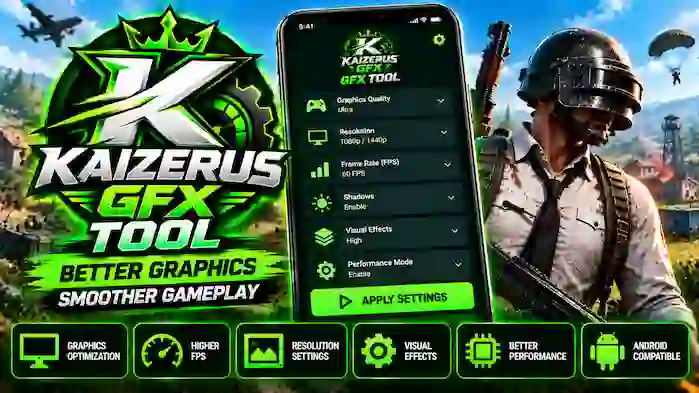
If you are searching for Kaizerus GFX Tool, you are likely looking for information about a graphics-related Android utility and how it may help with gaming configuration. This guide explains what the Kaizerus GFX Injector Tool term means, what users should check before downloading a tool APK, and how graphics settings can affect Android gaming performance.
Because different third-party sources may use similar names for different files, it is important to verify the exact application, version, source, and compatibility before installing anything.
What Is Kaizerus GFX Tool?
Kaizerus GFX Tool refers to an Android graphics configuration tool associated with settings that can influence how supported games are displayed and performed.
Depending on the version and supported environment, a GFX tool may provide options related to graphics quality, resolution, frame rate, rendering, and other performance settings.
The available options can vary between versions and devices. A setting that works well on one smartphone may not produce the same result on another because hardware, Android versions, game versions, and thermal conditions can differ.
Kaizerus GFX Tool APK
A Kaizerus GFX Tool APK is an Android application package used to install the tool on a compatible device.
Before installing an APK, verify:
- Application name
- Version number
- Android requirements
- Package information where available
- File details
- Source
- Developer information where available
- Requested permissions
Do not assume that every APK using the Kaizerus GFX Tool name comes from the same source or represents the same version.
Why Do Users Use a GFX Tool?
Android games can offer different graphics options depending on the device and game version. A graphics configuration tool may make some settings easier to understand or adjust.
Users may be interested in a GFX tool for:
- Graphics configuration
- Resolution adjustment
- Frame-rate settings
- Visual quality control
- Performance balancing
- Device-specific configuration
The goal should generally be a stable balance between image quality and performance rather than simply selecting the highest available setting.
Key Features of Kaizerus GFX Tool
The exact features can vary by version and supported game, but graphics configuration tools commonly focus on several areas.
Graphics Optimization
Graphics settings can influence texture quality, visual effects, shadows, rendering quality, and overall image presentation.
FPS Configuration
Frame rate affects how smoothly gameplay appears. A higher target is useful only when the device can maintain it consistently.
Resolution Settings
Resolution determines the amount of visual detail rendered by the game. Higher resolutions can increase GPU workload.
Performance Configuration
Performance depends on CPU, GPU, RAM, storage, Android software, game optimization, and device temperature.
Device Compatibility
A suitable configuration depends on the hardware and software environment of the phone. Settings should therefore be adjusted according to the device rather than copied blindly from another model.
Graphics Settings Explained
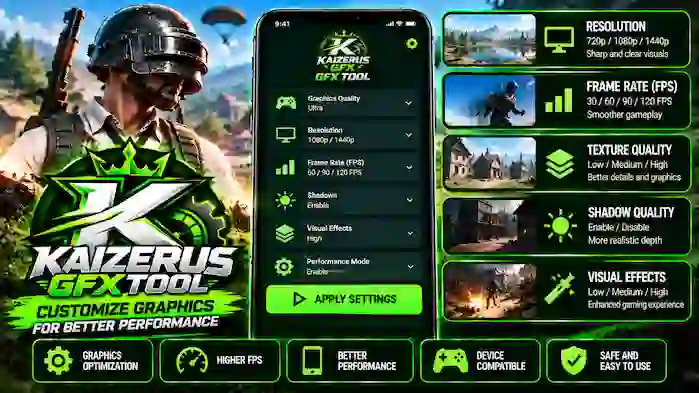
Understanding common graphics settings can help users make better configuration choices.
Resolution
Higher resolution can provide sharper visual details but may require more graphics processing power.
Frame Rate
Frame rate controls how frequently frames are displayed. Stable performance is generally more important than choosing a target that the device cannot maintain.
Texture Quality
Textures affect the detail and appearance of objects within a game. Higher texture quality can require additional memory and graphics resources.
Shadow Quality
Shadows can improve visual depth but may increase GPU workload.
Visual Effects
Effects such as lighting, particles, and other graphical elements can affect both appearance and performance.
Kaizerus GFX Tool and Gaming Performance
A GFX tool does not create additional hardware resources. Its potential usefulness comes from configuring available settings according to the capabilities of the device.
For example, a lower-end phone may benefit from conservative graphics settings, while a more powerful device may be capable of maintaining higher-quality settings.
Actual results can vary because gaming performance depends on several factors.
CPU
The processor handles many game and system tasks.
GPU
The graphics processor handles much of the visual rendering workload.
RAM
Available RAM affects how comfortably the device can handle games and background processes.
Storage
Fast and sufficiently available storage can contribute to a smoother overall device experience.
Temperature
Sustained gaming can increase device temperature, which may affect performance through thermal management.
Kaizerus GFX Tool Compatibility
Before installing the Kaizerus GFX Tool APK, check whether it is compatible with your device.
Important compatibility factors include:
- Android version
- Device model
- CPU architecture
- GPU capabilities
- Available RAM
- Free storage
- Game version
- Tool version
A tool that works on one Android device may not behave identically on another.
Kaizerus GFX Tool for Different Devices
Entry-Level Android Phones
Lower-end devices should generally prioritize stable performance. Aggressive graphics settings may place unnecessary load on limited hardware.
Mid-Range Devices
Mid-range phones often provide a balance between graphics quality and performance. Settings can be adjusted according to the device’s specific hardware.
Gaming Phones
Gaming-focused devices may have stronger CPUs, GPUs, cooling systems, and higher-refresh-rate displays. However, compatibility should still be verified before installing an external tool.
Older Android Devices
Older phones may have limitations involving Android versions, memory, GPU capabilities, and available storage.
How to Download Kaizerus GFX Tool APK
If you are looking for a Kaizerus GFX Tool APK download, verify the file before installing it.
A sensible download process is:
- Identify the exact application and version.
- Check the Android requirements.
- Review the source providing the APK.
- Check available file and package information.
- Confirm that your device has enough storage.
- Scan the downloaded APK with a reputable security tool.
- Review the requested permissions.
- Install only after verifying compatibility and source information.
Avoid suspicious download pages, misleading buttons, and APK files whose origin cannot be determined.
How to Install Kaizerus GFX Tool
After downloading a compatible APK, verify the file before installation.
Make sure:
- The APK is complete.
- Your Android version is compatible.
- Enough storage is available.
- The file comes from a source you can verify.
- The requested permissions have been reviewed.
If Android reports that the APK cannot be installed, check compatibility, storage, file integrity, and whether another version is already installed.
Don’t disable important security protections simply to force an installation.
Is Kaizerus GFX Tool Safe?
The safety of a GFX tool depends on the exact APK and its source. The application name alone cannot establish whether a particular file is trustworthy.
Verify the Source
Choose sources that provide clear application and version information.
Check the APK
Review the version, file information, package details, and other available identifiers.
Scan Before Installation
Use a reputable security scanner before opening or installing an unfamiliar APK.
Review Permissions
Check whether the permissions requested by the application make sense for its expected functionality.
Be Careful With Modified APKs
Modified APKs may contain changes that are not present in the original software. If the origin or modifications cannot be verified, avoid installing the file.
Kaizerus GFX Tool vs Kaizerus GFX APK
These keywords have related but different search intent.
Kaizerus GFX Tool focuses on the concept of the graphics configuration tool, its possible settings, compatibility, and use.
Kaizerus GFX APK focuses more broadly on the Android package, including version information, requirements, installation, and safety.
Keeping these pages separate allows each page to answer a different user question without unnecessarily repeating the same content.
Kaizerus GFX Tool vs Kaizerus GFX Injector
“Tool” and “injector” are sometimes used interchangeably by third-party APK pages, but they should not automatically be treated as the same product.
When comparing an APK described as a tool with one described as an injector, check:
- Exact application name
- Version number
- Package information
- Source
- Developer information
- Permissions
- File details
This can help identify whether the two files are actually related or simply using similar search terminology.
Common Kaizerus GFX Tool Problems
The APK Will Not Install
Check Android compatibility, storage, file integrity, and possible conflicts with another installed version.
The Tool Does Not Open
Confirm that the APK supports your Android version and device.
Graphics Settings Do Not Apply
Some settings can depend on the supported game, game version, device hardware, or Android environment.
Performance Gets Worse
More aggressive graphics settings can increase GPU and CPU workload. Try a more balanced configuration instead.
Game Crashes After Changing Settings
Return to a more conservative configuration and check whether the game and tool versions are compatible.
Problems Started After an Update
Check whether the Android, game, or Kaizerus GFX Tool version changed and whether the new versions remain compatible.
Best Practices for Using a GFX Tool
For a more stable gaming experience:
- Start with moderate settings.
- Change one setting at a time.
- Test performance after each adjustment.
- Avoid demanding configurations on low-end hardware.
- Keep sufficient storage available.
- Close unnecessary background applications.
- Keep Android and supported games updated.
- Monitor device temperature during long gaming sessions.
- Return to default settings if a configuration causes instability.
There is no universal configuration that is best for every Android phone.
Frequently Asked Questions
What is Kaizerus GFX Tool?
Kaizerus GFX Tool is a term associated with an Android graphics configuration utility. Depending on the version and source, available settings can vary.
What is Kaizerus GFX Tool APK?
It is an Android application package described as the Kaizerus GFX Tool. Always verify the exact APK and source before installation.
Is Kaizerus GFX Tool safe?
Safety depends on the specific APK and its source. Verify the file, review permissions, and scan it before installation.
Can Kaizerus GFX Tool increase FPS?
A graphics configuration tool may provide frame-rate settings where supported, but actual FPS depends on the device, game, hardware, temperature, and configuration. No specific performance improvement can be guaranteed.
Does Kaizerus GFX Tool work on every Android phone?
No application should be assumed to work identically on every Android device. Compatibility depends on the Android version, hardware, APK version, and supported game environment.
Why is Kaizerus GFX Tool not working?
Possible causes include an incompatible APK, unsupported Android version, game updates, device limitations, or incompatible graphics settings.
Should I use the highest graphics settings?
Not necessarily. The best settings are those that provide an appropriate balance between visual quality, frame rate, temperature, and overall stability.
Conclusion
Kaizerus GFX Tool is associated with Android graphics configuration and gaming performance settings. Users interested in the tool should first understand their device’s hardware, Android version, game requirements, and the exact APK version they are considering.
Graphics settings should be adjusted gradually rather than assuming maximum quality or FPS is always the best option. Before installing any Kaizerus GFX Tool APK, verify the source, file information, compatibility, permissions, and security status.
For broader information about the application package, visit the Kaizerus GFX APK guide. For download-specific information, see the Kaizerus GFX Download page.