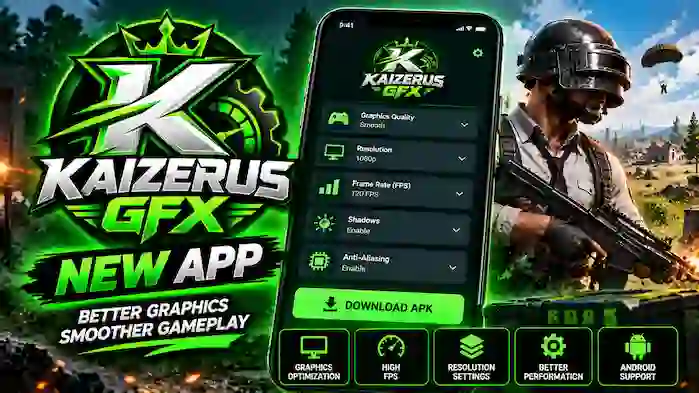
If you are searching for Kaizerus GFX APK, this guide explains what the Android APK is, what to check before downloading it, how compatibility works, and how to approach installation safely.
Kaizerus GFX is associated with graphics configuration and Android gaming performance settings. Depending on the version and supported environment, users may look for options related to graphics quality, resolution, frame rate, and overall gameplay configuration.
Before installing any APK, it is important to verify the version, Android requirements, source, file information, and requested permissions.
What Is Kaizerus GFX APK?
Kaizerus GFX APK refers to the Android application package used to install Kaizerus GFX 2026 on a compatible Android device.
The application is commonly associated with gaming graphics configuration and performance-related settings. Instead of treating every device the same way, graphics configuration can be adjusted according to available hardware and the user’s preferred balance between visual quality and performance.
The exact options available can vary depending on the application version, Android environment, device, and supported game.
Why Do Users Look for Kaizerus GFX APK?
Android games can have different graphics and performance requirements. Users may therefore be interested in a configuration tool that gives them more control over available settings.
Common reasons for looking for Kaizerus GFX include:
- Adjusting graphics-related options
- Reviewing frame-rate settings
- Managing resolution
- Finding a suitable performance balance
- Configuring settings for different Android devices
- Understanding graphics options more clearly
However, a graphics tool cannot remove the hardware limitations of a device. Actual results depend on the phone, game, software environment, and selected configuration.
Kaizerus GFX APK Latest Version
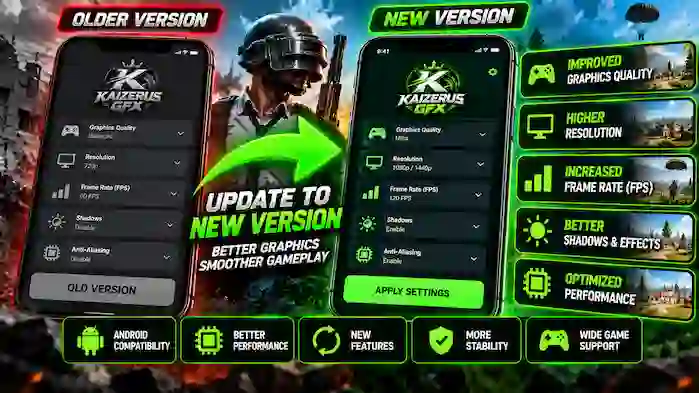
When searching for the Kaizerus GFX latest version APK, always verify the actual version number instead of relying only on a page title that says “latest.”
A newer release may include compatibility changes, bug fixes, feature changes, or other adjustments. At the same time, a newer version is not automatically suitable for every device.
Before updating, check:
- Version number
- Release information
- Android compatibility
- Device requirements
- Game compatibility
- File information
- Requested permissions
If reliable release information is unavailable, avoid assuming that a file advertised as the latest version is genuine or current.
Kaizerus GFX APK Features
The features available can depend on the particular version and supported environment, but Kaizerus GFX is generally associated with graphics and performance configuration.
Graphics Optimization
Graphics optimization involves adjusting available visual settings to find an appropriate balance between image quality and device performance.
FPS Configuration
Frame-rate settings influence how smoothly supported gameplay can appear. A higher target does not necessarily mean better performance if the device cannot maintain it consistently.
Resolution Configuration
Resolution affects image detail and rendering workload. Higher resolution may look sharper but can require more GPU resources.
Performance Optimization
Performance is affected by multiple components, including CPU, GPU, RAM, storage, Android software, game optimization, and device temperature.
Device-Oriented Configuration
Different phones have different capabilities. A setting that works on a gaming phone may be too demanding for an entry-level device.
Kaizerus GFX APK Requirements
Before installing the APK, check whether your device meets the requirements of the particular version you are downloading.
Important considerations include:
Android Version
The required Android version can vary by application release. Check the requirements for the specific APK instead of assuming that every version supports every Android device.
RAM
Available RAM can affect how comfortably the device handles games and other running applications.
Processor and GPU
The CPU and GPU have a major role in gaming performance. More demanding graphics settings can place additional load on these components.
Available Storage
Make sure there is sufficient free storage for the APK, installation process, and the game you intend to use.
Game Compatibility
Graphics-related settings can depend on the supported game and its current version. A game update can also change compatibility or available options.
How to Download Kaizerus GFX APK
If you are looking for a Kaizerus GFX APK download, verify the file before installing it.
A safer approach is to:
- Find a source that provides clear application information.
- Check the APK version.
- Confirm Android compatibility.
- Review package and developer information where available.
- Check the file details.
- Scan the APK with a reputable security tool.
- Review requested permissions before installation.
Avoid suspicious download pages, misleading buttons, and files that provide little information about their origin.
For detailed download instructions, see the dedicated Kaizerus GFX Download page.
How to Install Kaizerus GFX APK
Once you have verified that the APK is compatible and comes from a source you trust, follow the normal Android installation process supported by your device.
Before installation:
- Make sure enough storage is available.
- Confirm the Android version is compatible.
- Verify that the downloaded file is complete.
- Review the requested permissions.
- Keep your device’s security protections enabled.
If Android reports that the application cannot be installed, do not immediately try random APK versions. First check compatibility, storage, file integrity, and whether an existing installation is conflicting with the new version.
Is Kaizerus GFX APK Safe?
An APK’s safety depends on the exact file and where it came from. The name “Kaizerus GFX” alone does not guarantee that every APK using that name is trustworthy.
Before installation, consider the following checks.
Verify the Source
Use a source that provides clear information about the application and its version.
Check the APK File
Compare the available version, package information, file details, and other identifiers where possible.
Review Permissions
Look carefully at permissions requested by the application. Be cautious when an APK requests access that appears unrelated to its expected purpose.
Scan Before Installation
Use a reputable security scanner to check the downloaded APK before opening it.
Be Careful With Modified APKs
Modified files may contain changes that are not present in an original release. If the origin or modifications are unclear, avoid installing the file.
Kaizerus GFX APK Compatibility
Compatibility is determined by more than the Android operating system.
Your experience can also depend on:
- Device hardware
- CPU
- GPU
- RAM
- Android version
- Game version
- Application version
- Available storage
- Device temperature
For this reason, two Android phones can behave differently even when they use the same Kaizerus GFX APK.
Kaizerus GFX APK vs Kaizerus GFX Download
These terms are closely related but represent different search intents.
Kaizerus GFX APK focuses on the application package, version, requirements, features, and compatibility.
Kaizerus GFX Download focuses more specifically on finding, verifying, downloading, and installing the file.
Keeping these topics separate helps users find the information they actually need without repeating the same content across multiple pages.
Common Kaizerus GFX APK Problems
APK Will Not Install
Possible causes include an incompatible Android version, insufficient storage, a damaged file, or an existing conflicting installation.
App Does Not Open
Check whether the installed version is compatible with your device and whether the APK came from a reliable source.
Graphics Settings Do Not Apply
Some settings may depend on the game, device, application version, or available graphics options.
Performance Does Not Improve
Graphics configuration cannot overcome every hardware limitation. Try a more conservative configuration and check background applications, storage, and device temperature.
Problems After an Update
If the problem began after updating the game, Android, or Kaizerus GFX, check whether the new versions remain compatible.
Should You Update Kaizerus GFX APK?
Updating can be useful when a new version provides verified compatibility improvements, bug fixes, or other relevant changes.
However, don’t update solely because a download page claims that a file is “new.” Confirm the actual version and release information first.
Before updating, consider:
- Is the new version compatible?
- Does it address a problem you currently have?
- Are the release details clear?
- Is the download source trustworthy?
- Does your device meet the requirements?
Frequently Asked Questions
What is Kaizerus GFX APK?
Kaizerus GFX APK is the Android application package associated with Kaizerus GFX and its graphics and gaming configuration functionality.
What is the latest Kaizerus GFX APK version?
The latest version can change over time. Always verify the actual version number and release information before downloading.
Is Kaizerus GFX APK safe?
Safety depends on the specific APK file and its source. Verify the file, review permissions, and scan it before installation.
Can Kaizerus GFX APK increase FPS?
It may provide graphics or frame-rate configuration options where supported, but FPS results depend on the device, game, hardware, and selected settings. No particular FPS improvement should be guaranteed.
Which devices support Kaizerus GFX APK?
Support depends on the APK version, Android version, device hardware, and supported game environment. Check the requirements of the specific release.
Why won’t Kaizerus GFX APK install?
Common causes include an incompatible Android version, insufficient storage, a damaged APK, or an existing conflicting installation.
Can I use an older Kaizerus GFX APK?
An older version may work in some environments, but compatibility and security should be checked carefully before installing an outdated APK.
Where can I find Kaizerus GFX APK download information?
Use the dedicated Kaizerus GFX Download guide for information about download checks, version verification, installation, and compatibility.
Conclusion
Kaizerus GFX APK is an Android application package associated with graphics configuration and gaming performance settings. Users looking for the APK should pay attention to version information, Android compatibility, device hardware, game compatibility, permissions, and download-source reliability.
The best configuration depends on the individual device and gaming requirements. Instead of assuming that maximum graphics or FPS is always better, choose settings that provide a stable balance between visual quality and performance.
Before installing any APK, verify the file and source carefully, scan the file, and keep your device’s security protections enabled.