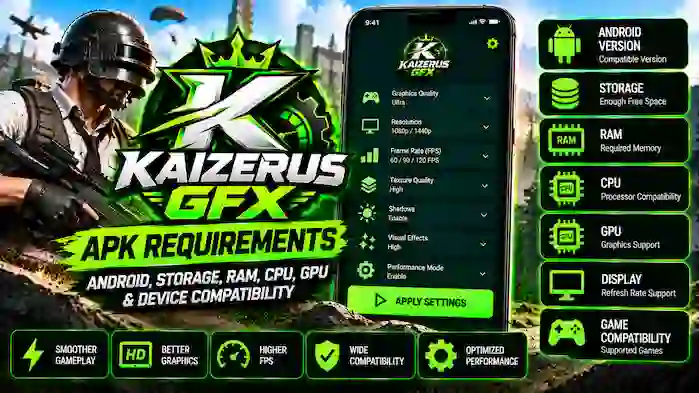
Before installing any Kaizerus GFX APK, it is important to check whether your Android phone meets the required software and hardware conditions. Compatibility can affect installation, available features, graphics configuration, and overall stability.
The exact requirements may vary between Kaizerus GFX new app versions. A newer release may have different Android requirements or behave differently on older devices. This guide explains the main Kaizerus GFX APK requirements you should check before installation.
What Are the Kaizerus GFX APK Requirements?
The requirements generally relate to the Android version, available storage, RAM, processor, graphics hardware, and supported gaming environment.
Before installing the APK, check these areas:
- Android version
- Available storage
- RAM
- CPU
- GPU
- Display capabilities
- Game compatibility
- Application version
There is no universal hardware configuration that guarantees identical results on every Android device.
Android Version Requirements
The Android version is one of the first things to check.
Different application releases can target different Android versions. A phone running an older Android version may not be compatible with a newer APK.
To check your Android version, open your phone’s Settings and look for the About Phone or Software Information section.
Before downloading a particular APK, compare your Android version with the requirements listed for that release.
Storage Requirements
The APK itself needs storage space for installation, but Android also requires additional space for temporary files and application data.
Before installing Kaizerus GFX, make sure your phone has sufficient free storage.
Low available storage can cause:
- Installation failures
- Update problems
- Application crashes
- General device slowdowns
Keeping some free space available is therefore useful even when the APK file itself is relatively small.
RAM Requirements
RAM affects how Android manages applications and background processes.
A device with limited RAM may have fewer resources available when a game and other applications are running simultaneously.
Kaizerus GFX’s exact RAM requirement depends on the application version and what it is being used with. More RAM does not automatically guarantee better gaming performance, but sufficient available memory can help the overall Android environment operate more comfortably.
CPU Requirements
The CPU handles many Android and gaming tasks.
A modern processor can generally handle more demanding applications and games than older entry-level hardware, but the required CPU depends on the application and gaming environment.
When evaluating compatibility, consider the processor model as well as the number of cores and overall performance.
GPU Requirements
The GPU is particularly important for graphics-related applications and games.
Kaizerus GFX is associated with graphics configuration, so the device’s graphics processor can influence what settings and gaming performance are practical.
A stronger GPU can generally handle more demanding graphics workloads, while lower-end graphics hardware may require more conservative settings.
Display and Refresh Rate
The display itself is not necessarily an installation requirement, but it can affect the gaming experience.
A phone with a high-refresh-rate display can display higher frame rates when the game, device hardware, and software can actually produce them.
For example, having a 120 Hz display does not automatically mean every game will run at 120 FPS.
The game and device must support the desired frame rate.
Game Compatibility
Kaizerus GFX compatibility is not determined only by the Android phone.
The game being configured also matters.
Check:
- Game version
- Supported graphics options
- Android compatibility
- Device hardware
- Current application version
A graphics configuration that works with one game version may not behave identically after a major game update.
Internet Connection Requirements
An internet connection is generally not a hardware requirement for installing an APK, but connectivity can be important for downloading the file and for games that require online access.
If the application itself depends on online functionality, its network requirements may vary by version.
For online gaming, remember that network latency is different from graphics performance. A graphics configuration tool cannot directly fix an unstable internet connection.
Recommended Device Characteristics
Instead of focusing only on one minimum specification, it is useful to consider the overall device.
A practical Android gaming setup may include:
- A supported Android version
- Adequate free storage
- Sufficient RAM
- A capable CPU
- A suitable GPU
- Updated system software
- A compatible game version
The exact requirements should always be checked against the specific Kaizerus GFX release.
Kaizerus GFX APK Requirements for Entry-Level Devices
Entry-level Android phones can have limited CPU, GPU, and RAM resources.
If you are using a lower-end device, consider:
- Moderate graphics settings
- Conservative FPS targets
- Lower visual effects
- Sufficient free storage
- Closing unnecessary background applications
Do not assume that installing a GFX tool will turn entry-level hardware into a high-performance gaming device.
Kaizerus GFX APK Requirements for Mid-Range Devices
Mid-range smartphones can offer a useful balance between performance and graphics capability.
Depending on the specific hardware, these devices may support a wider range of graphics configurations.
However, the ideal settings still depend on the game and device model.
Kaizerus GFX APK Requirements for Gaming Phones
Gaming-oriented phones often include stronger processors, GPUs, cooling systems, larger RAM configurations, and high-refresh-rate displays.
These characteristics can provide more headroom for demanding games, but compatibility with the Kaizerus GFX APK should still be verified.
High-end hardware does not guarantee that every external graphics setting will work.
How to Check Your Phone Before Installing
You can check most important requirements directly from Android.
Step 1: Check Android Version
Open Settings → About Phone and locate your Android version.
Step 2: Check RAM
Look under your device information or memory settings to determine available RAM.
Step 3: Check Storage
Open the storage section and confirm that enough free space is available.
Step 4: Identify the Processor
Check your device specifications for the CPU model.
Step 5: Check Graphics Hardware
If available, identify the GPU through your device specifications or a reputable device-information utility.
Step 6: Compare With the APK Information
Compare your phone’s specifications with the requirements provided for the exact Kaizerus GFX version.
What Happens If Your Device Does Not Meet the Requirements?
If your device does not meet the requirements, several things can happen.
The APK may:
- Refuse to install
- Install but fail to launch
- Crash during use
- Have unavailable settings
- Behave unpredictably
- Provide limited functionality
Compatibility problems can also result from the game rather than the APK itself.
Kaizerus GFX APK and Android Compatibility
Android compatibility can change between application releases.
For example, a newer APK may require a newer Android environment, while an older version may have been designed for an earlier system.
This is why downloading a file simply because it has “latest” in its title is not enough. Always check the actual version and requirements.
Kaizerus GFX APK Installation Problems
If the APK does not install, check the following:
Insufficient Storage
Free up enough storage and try again.
Incompatible Android Version
Confirm that your Android version supports the APK.
Corrupted APK
A damaged or incomplete download can prevent installation.
Conflicting Application
An existing installation can sometimes cause problems when the package or signing information differs.
Unsupported Device
Some applications may have hardware or software limitations.
Incorrect APK
Make sure you downloaded the intended application and architecture/version where applicable.
Safety Checks Before Installing
Requirements are not the only thing to consider.
Before installing an APK from an unfamiliar source:
- Verify the source.
- Check the exact version.
- Review permissions.
- Scan the file with a reputable security tool.
- Check Android compatibility.
- Avoid suspicious modified packages.
- Keep Android security protections enabled.
A file that technically meets your device requirements can still be unsafe if its source is unreliable.
Do Higher Specifications Guarantee Better Results?
No.
A powerful phone can still experience problems because of:
- Game optimization
- Application compatibility
- Incorrect settings
- Background processes
- Device temperature
- Software conflicts
- Network problems
Hardware is only one part of the overall gaming environment.
Frequently Asked Questions
What are the Kaizerus GFX APK requirements?
The main requirements to check include Android version, available storage, RAM, CPU, GPU, device compatibility, and the supported game environment. Exact requirements vary by version.
Which Android version is required for Kaizerus GFX?
The required Android version depends on the specific APK release. Check the requirements for the exact version before installing it.
How much storage does Kaizerus GFX need?
The APK requires enough space for the installation package, application data, and temporary files. Keeping additional free storage available is recommended.
Does Kaizerus GFX require a powerful phone?
Not necessarily. Requirements depend on the version and intended use, but device hardware can affect available graphics settings and gaming performance.
Can I use Kaizerus GFX on a low-end Android phone?
Compatibility depends on the APK and device. If supported, lower graphics and FPS settings may be more appropriate for limited hardware.
Does more RAM improve Kaizerus GFX performance?
More available RAM can help the Android environment manage applications, but it does not guarantee better graphics performance. CPU, GPU, game optimization, and other factors also matter.
Does Kaizerus GFX require an internet connection?
An internet connection may be needed to download the APK and may be required by an online game, but network connectivity is separate from graphics processing.
What should I do if Kaizerus GFX APK does not install?
Check your Android version, available storage, APK integrity, device compatibility, and whether another version of the application is already installed.
Conclusion
Checking the Kaizerus GFX APK requirements before installation can help prevent compatibility and installation problems. The most important areas are Android version, storage, RAM, CPU, GPU, device compatibility, and the supported game environment.
Requirements can vary between versions, so avoid relying on generic specifications or claims made by download pages. Verify the exact APK version and compare its requirements with your device before installation.
Finally, remember that meeting the technical requirements does not guarantee higher FPS or better gaming performance. Results depend on the complete combination of hardware, software, game optimization, graphics settings, and device conditions.
1 thought on “Kaizerus GFX APK Requirements – Android, Storage & Device Compatibility”