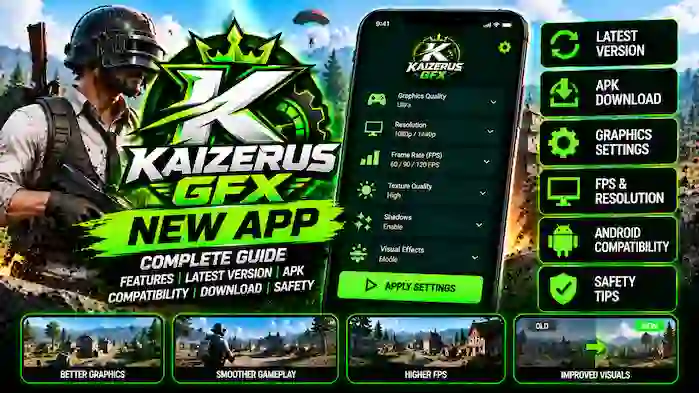
If you are searching for the Kaizerus GFX new app, you are likely looking for the latest information about a newer how Kaizerus GFX works, application, release, or updated APK. Before installing a file described as a “new app,” it is important to verify exactly what it is, which version it contains, and whether it is compatible with your Android device.
This guide explains what the Kaizerus GFX new app term means, what to check in a newer release, how to compare versions, and how to approach APK downloads safely.
What Is the Kaizerus GFX New App?
Kaizerus GFX new app is a search term used by Android users looking for a newer or updated version of Kaizerus GFX.
A new application release can involve changes to graphics settings, compatibility, stability, interface elements, or supported Android versions. However, the exact changes depend on the particular release.
The phrase “new app” should not automatically be interpreted as proof that a file is official or newer. Always verify the actual application and version information before installing it.
Why Are Users Looking for the Kaizerus GFX New App?
There are several reasons someone may search for a newer Kaizerus GFX application.
Users may want to:
- Find a newer APK version
- Check updated graphics settings
- Resolve problems with an older release
- Improve compatibility with a newer Android version
- Check for updated device support
- Compare an older and newer release
- Find recently updated features
A newer version can be useful when it addresses a real compatibility or stability issue, but updating is not always necessary when the current version is working properly.
What Can Change in a New Kaizerus GFX App?
The changes between releases depend on the exact version. Potential areas of change can include:
Graphics Settings
A newer release may change how graphics configuration options are presented or supported.
FPS Options
Frame-rate settings may be modified or adjusted depending on the supported environment.
Resolution Settings
Resolution-related controls can change between versions or become compatible with different device configurations.
Compatibility
A new version may target newer Android environments or change its compatibility requirements.
Stability
Updates can address application bugs or other stability problems.
Interface
The layout and organization of available options can change between releases.
Users should verify actual release information instead of assuming that every “new” APK contains all of these changes.
Kaizerus GFX New App Features
The available features depend on the exact version, but Kaizerus GFX is generally associated with Android graphics configuration.
Users may encounter settings related to:
- Graphics quality
- Resolution
- Frame rate
- Texture quality
- Shadow quality
- Visual effects
- Performance configuration
- Device compatibility
Not every feature is necessarily available in every version.
Kaizerus GFX New App vs Older Version
Before updating, it is useful to compare the version currently installed on your phone with the new version.
| Area | Older Version | New App Version |
| Version | Previous release | Newer release |
| Compatibility | Depends on older requirements | May have updated requirements |
| Features | Existing options | May contain changed options |
| Stability | Depends on release | May include fixes |
| Android support | Version-dependent | May target newer Android versions |
| Performance | Device-dependent | Still device-dependent |
A higher version number does not automatically mean that the application will perform better on every device.
How to Check Your Current Kaizerus GFX Version
Before downloading the new app, check the version already installed on your Android device.
Open the application’s information page through Android settings and look for the displayed version number.
Record that version and compare it with the version you are considering.
This simple step can help you avoid downloading an older release by mistake.
How to Identify a Genuine New Version
When several websites claim to offer the “new” or “latest” Kaizerus GFX app, compare the available information.
Check:
- Exact version number
- Application name
- Package information where available
- Android requirements
- File information
- Developer information where available
- Update information
- Source of the APK
If different websites provide conflicting version numbers, investigate further instead of choosing a file simply because its title says “latest.”
Kaizerus GFX New App APK
The Kaizerus GFX new app APK is an Android installation package described as a newer version of Kaizerus GFX.
Before installing it, verify that:
- The version number is clear.
- The APK comes from a source you can evaluate.
- Your Android version is compatible.
- Your device has enough storage.
- The file has been checked for security issues.
- The requested permissions are reasonable.
The APK filename alone is not enough to establish authenticity.
How to Download the Kaizerus GFX New App
If you are looking for a new Kaizerus GFX APK, follow a verification-first approach.
Step 1: Check Your Current Version
Find the version currently installed on your device.
Step 2: Identify the New Version
Confirm the exact version number of the APK you want to install.
Step 3: Check Compatibility
Review Android requirements and device compatibility.
Step 4: Verify the Source
Make sure the download source provides useful information about the application.
Step 5: Check the File
Review the APK’s available file and package information.
Step 6: Scan the APK
Use a reputable security scanner before installing an unfamiliar APK.
Step 7: Review Permissions
Check what permissions the application requests.
Step 8: Install Only After Verification
Proceed only when the application, version, source, and compatibility information make sense.
Kaizerus GFX New App Compatibility
Compatibility is one of the most important things to check before installing a new release.
Android Version
A new application may require a particular Android version.
Device Hardware
CPU, GPU, RAM, and other hardware components can affect how graphics-related applications behave.
Game Version
If the tool is being used alongside a particular game, changes to that game may affect compatibility.
Available Storage
Make sure there is enough free storage for the APK and application data.
Device Software
Manufacturer software and Android updates can influence application behavior.
Does the New App Improve Gaming Performance?
Not necessarily.
A newer Kaizerus GFX version may provide updated configuration options, but actual gaming performance still depends on the device and game.
Performance can be influenced by:
- CPU
- GPU
- RAM
- Graphics settings
- Resolution
- Frame rate
- Game optimization
- Device temperature
- Background applications
Therefore, users should not assume that installing a newer APK will automatically increase FPS or eliminate lag.
Kaizerus GFX New App Safety
Safety should be considered whenever installing an APK from outside a standard app store.
Check the Source
Use a source that provides clear application and version information.
Verify the Version
Make sure the advertised version matches the information provided for the file.
Review Permissions
Check whether the requested permissions are appropriate for the application’s expected functionality.
Scan the APK
Use a reputable security tool to check unfamiliar files.
Avoid Suspicious Modified Versions
A modified APK can contain changes that are not part of the expected application.
Keep Android Security Enabled
Do not disable important security features simply to install an APK.
Common Problems With the Kaizerus GFX New App
The New App Will Not Install
Check Android compatibility, storage, file integrity, and possible conflicts with an existing version.
The New Version Crashes
The release may not be compatible with your device, Android version, or gaming environment.
Settings Are Missing
Features can change between versions. Check the documentation or information available for the exact release.
Performance Is Worse
A new version does not guarantee better performance. Review the graphics configuration and device temperature.
The App Works Differently After an Update
Updates can change settings, interface elements, or compatibility. Compare the new release with your previous configuration.
Should You Install the Kaizerus GFX New App?
Updating can make sense when the new release is verified and addresses a problem or adds functionality you actually need.
Consider updating when:
- Your current version has compatibility problems.
- The new version supports your Android environment.
- A verified update addresses known issues.
- You need a feature available in the newer release.
You may want to investigate further when:
- The APK source is unclear.
- Version information is inconsistent.
- The file requests unusual permissions.
- The download page makes unrealistic claims.
- Your existing version already works correctly.
Frequently Asked Questions
What is the Kaizerus GFX new app?
It is a search term used for a newer or updated Kaizerus GFX application or APK. The exact application and version should be verified before installation.
Is the Kaizerus GFX new app the same as the latest version?
Not necessarily. “New app” is a descriptive search term, while “latest version” should refer to a specific verified version number.
How do I find the Kaizerus GFX new app APK?
Look for clear version information and verify the source, Android requirements, file details, permissions, and security status before installing.
Is the Kaizerus GFX new app safe?
Safety depends on the exact APK and its source. Review the file, permissions, version, and security information before installation.
Will the new Kaizerus GFX app increase FPS?
There is no guaranteed FPS improvement. Performance depends on the device hardware, game, graphics settings, temperature, and software environment.
Can I install the new app over an older version?
Whether an update can be installed over an existing version depends on Android compatibility, package identity, and the specific APK. Verify the release before proceeding.
Why is the Kaizerus GFX new app not working?
Possible causes include an incompatible Android version, unsupported device, game update, insufficient storage, corrupted APK, or incompatible configuration.
Conclusion
The Kaizerus GFX new app search term generally refers to users looking for a newer or updated version of Kaizerus GFX. Before installing one, verify the exact version number, source, Android requirements, device compatibility, permissions, and security status.
A new version may change graphics settings, compatibility, stability, or other application behavior, but it does not automatically guarantee better gaming performance. The best approach is to compare the new release with your current version and update only when the file is verified and the change is useful for your device.
For broader version information, see the Kaizerus GFX 2026 guide. For APK-specific information, visit the Kaizerus GFX APK guide, and use the dedicated Download page when you need download and installation information.
1 thought on “Kaizerus GFX New App – Features, Version, Compatibility & Download Guide”