Looking for Kaizerus GFX 2026 information? This guide explains what to check when a new Kaizerus GFX version becomes available, how to identify the latest APK, what updates can affect compatibility, and how to approach updates safely.
Kaizerus GFX Tool is associated with graphics configuration and Android gaming performance settings. Because application versions can change over time, users should verify the exact version instead of relying only on labels such as “latest,” “new,” or “updated.”
What Is Kaizerus GFX 2026?
Kaizerus GFX 2026 refers to searches for the current or updated Kaizerus GFX application during 2026.
Users searching for this term may want to know whether a newer version is available, what has changed, whether their device is compatible, and whether they should update from an older release.
The exact features and compatibility of any release depend on the version itself. Always check the actual application information before installing or updating.
Why Do Users Look for the New Kaizerus GFX Version?
A new application version may address compatibility issues, improve stability, change available settings, or introduce other updates.
Users commonly search for a new version because they want to:
- Check for newer features
- Improve compatibility
- Resolve application problems
- Check support for newer Android versions
- Find updated graphics settings
- Replace an outdated APK
- Determine whether an update is necessary
A newer release is not automatically better for every device, so compatibility should be checked before updating.
Kaizerus GFX Latest Version
When searching for the Kaizerus GFX latest version APK, confirm the actual version number rather than trusting a download page’s title.
Before considering an APK to be the latest version, check:
- Version number
- Release information
- Application name
- Android requirements
- Package information where available
- File details
- Developer information
- Compatibility information
If different websites list different versions, don’t assume that the highest number is automatically authentic. Verify the information before installing anything.
Kaizerus GFX New Version
The Kaizerus GFX new version may include changes affecting features, compatibility, performance, or stability.
When evaluating a new release, compare it with the version currently installed on your device.
Consider:
Version Changes
Check whether the release number is actually newer than your installed version.
Compatibility Changes
A new version can change Android requirements or supported devices.
Feature Changes
Graphics or configuration options may be added, removed, renamed, or adjusted between releases.
Stability Improvements
Updates can potentially address bugs or application problems.
Performance Changes
Changes to graphics configuration can affect how the application behaves on different hardware.
Kaizerus GFX 2026 Features
The available features depend on the specific release, but Kaizerus GFX is generally associated with graphics and gaming configuration.
Potential areas of interest include:
Graphics Configuration
Users may be able to work with graphics-related settings depending on the supported version and gaming environment.
FPS Settings
Frame-rate configuration can affect how smooth gameplay appears, although the actual result depends on device hardware and game optimization.
Resolution
Resolution settings can influence visual detail and graphics workload.
Performance Configuration
Performance settings need to be matched to the capabilities of the device.
Device Compatibility
Newer Android devices and operating-system versions can introduce compatibility considerations that older releases may not address.
How to Check Your Current Kaizerus GFX Version
Before downloading a new version, first determine which version you already have.
You can generally check application information through Android’s app settings. Look for the installed application and review the displayed version information.
Once you know your current version, compare it with the version you are considering.
This helps prevent accidentally installing an older release while searching for an update.
How to Download Kaizerus GFX 2026
If you are searching for a Kaizerus GFX 2026 download, start by identifying the exact version you need.
A sensible process is:
- Check your currently installed version.
- Identify the version you want to install.
- Review Android compatibility.
- Check the source providing the APK.
- Review file and package information.
- Confirm that sufficient storage is available.
- Scan the APK before installation.
- Review permissions.
- Install only after verifying the file.
Avoid relying on a page simply because it uses the words “latest version” or “2026.”
How to Update Kaizerus GFX
If you decide to move from an older version to a newer release, prepare your device first.
Step 1: Check the Current Version
Identify the version currently installed.
Step 2: Check the New Version
Confirm the version number and available information about the release.
Step 3: Check Compatibility
Make sure the new release supports your Android version and device.
Step 4: Review the APK
Verify the source, file information, permissions, and security status.
Step 5: Install the Update
Follow the standard Android installation process supported by your device.
Step 6: Test the Application
After updating, check whether the application and relevant graphics settings work as expected.
If an update causes problems, investigate compatibility before repeatedly installing different APK files.
Should You Update to the Kaizerus GFX New Version?
Updating is not always necessary.
An update may make sense when:
- Your current version has a known compatibility problem.
- The new release supports your Android version better.
- A verified update addresses bugs.
- You need functionality available only in the newer release.
You may want to wait and investigate further when:
- The new APK has unclear origins.
- Version information is inconsistent.
- The file requests unusual permissions.
- Your current version works correctly.
- The new version does not provide information about its changes.
The decision should be based on verified information rather than the word “latest” alone.
Kaizerus GFX 2026 Compatibility
Compatibility can depend on several parts of the Android gaming environment.
Android Version
A newer release may require a particular Android version. Check the requirements before updating.
CPU and GPU
Graphics configuration is closely connected to the processing hardware of your device.
RAM
Available memory can affect gaming and application performance.
Storage
Make sure sufficient storage remains available before downloading and installing a new APK.
Game Version
If Kaizerus GFX is being used alongside a particular game, changes to that game can affect compatibility.
Device Software
Manufacturer software and Android updates can also influence application behavior.
Kaizerus GFX 2026 and Gaming Performance
A new version cannot guarantee improved gaming performance on every phone.
Gaming performance depends on:
- CPU performance
- GPU capabilities
- RAM
- Display refresh rate
- Storage
- Android version
- Game optimization
- Device temperature
- Graphics configuration
For this reason, users should avoid assuming that installing the newest version will automatically increase FPS or eliminate lag.
Kaizerus GFX New Version Safety Checks
When looking for a new APK, safety should remain a priority.
Verify the Source
Look for clear application and version information.
Check the Version Number
Make sure the advertised version matches the file you are obtaining.
Review Permissions
Check whether the application’s requested permissions are reasonable for its stated purpose.
Scan the APK
Use a reputable security tool to check an unfamiliar APK before installation.
Be Careful With Modified Files
A modified APK can contain changes that are not part of the expected application. If its origin is unclear, avoid installing it.
Keep Android Security Enabled
Do not disable important security protections simply to install an APK.
Common Kaizerus GFX 2026 Update Problems
The New Version Will Not Install
Check Android compatibility, storage, file integrity, and conflicts with an existing installation.
The Application Stops Working After Updating
The new version may not be compatible with your Android version, device, or game environment.
Graphics Settings Have Changed
An update can change how configuration options are presented or supported.
Performance Is Worse After Updating
Try reviewing the graphics configuration and device temperature. A newer application version does not guarantee better performance on every device.
Older Version Worked Better
If a new release causes problems, first determine whether the issue is related to compatibility or a configuration change rather than immediately switching between unknown APK sources.
Kaizerus GFX 2026 vs Older Versions
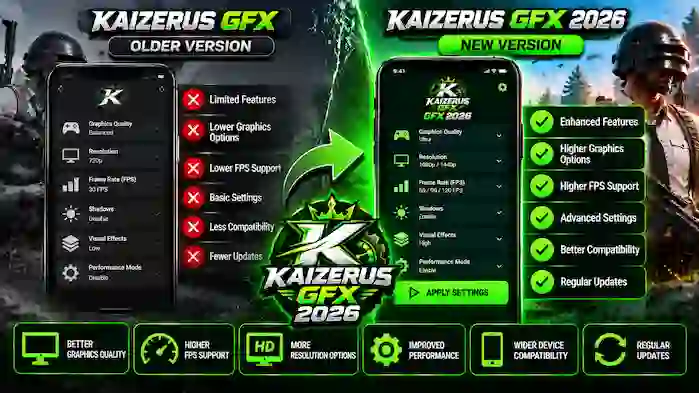
When comparing versions, look beyond the version number.
| Area | Older Version | New Version |
| Android support | May support older environments | May target newer environments |
| Features | Existing options | May include changed or additional options |
| Compatibility | Depends on release | Depends on new requirements |
| Stability | Depends on version | May include fixes or changes |
| Performance | Device-dependent | Still device-dependent |
| Safety | Depends on source | Depends on source |
The newest version should always be verified before installation.
Kaizerus GFX 2026 Download Checklist
Before downloading a new release, check:
- Exact version number
- Android requirements
- Device compatibility
- Game compatibility
- File information
- Package information
- Source reliability
- Requested permissions
- Security scan
- Available storage
This checklist can help reduce avoidable compatibility and installation problems.
Frequently Asked Questions
What is Kaizerus GFX 2026?
Kaizerus GFX 2026 is a search term referring to the Kaizerus GFX application and its version or update information during 2026.
What is the Kaizerus GFX new version?
It refers to a newer release compared with an earlier version. Always verify the actual version number before downloading or installing it.
How do I find the Kaizerus GFX latest version APK?
Check reliable application information and compare the actual version number rather than relying solely on “latest” labels.
Should I update Kaizerus GFX?
Update when the new release is verified, compatible with your device, and offers a relevant reason to change from your current version.
Is the Kaizerus GFX 2026 APK safe?
Safety depends on the exact APK and source. Verify the file, review permissions, and scan it before installation.
Will the new version increase FPS?
A new version cannot guarantee a specific FPS improvement. Performance depends on the device, game, hardware, settings, and software environment.
Why won’t the new Kaizerus GFX version install?
Possible causes include incompatible Android versions, insufficient storage, a damaged APK, or a conflict with an existing installation.
Can I keep using an older Kaizerus GFX version?
An older version may continue to work in some environments, but compatibility, security, and game updates should be considered before continuing to use outdated software.
Conclusion
Kaizerus GFX 2026 searches are primarily about finding current version information, understanding new releases, and deciding whether an update is appropriate for a particular Android device.
Before installing a Kaizerus GFX new version, verify the actual version number, Android requirements, device and game compatibility, file source, permissions, and security status. A newer release may contain improvements, but it does not automatically guarantee better performance on every device.
For general application information, see the Kaizerus GFX APK guide. For download-specific instructions, visit the Kaizerus GFX Download page, while the Tool and Injector guides cover those related search intents separately.